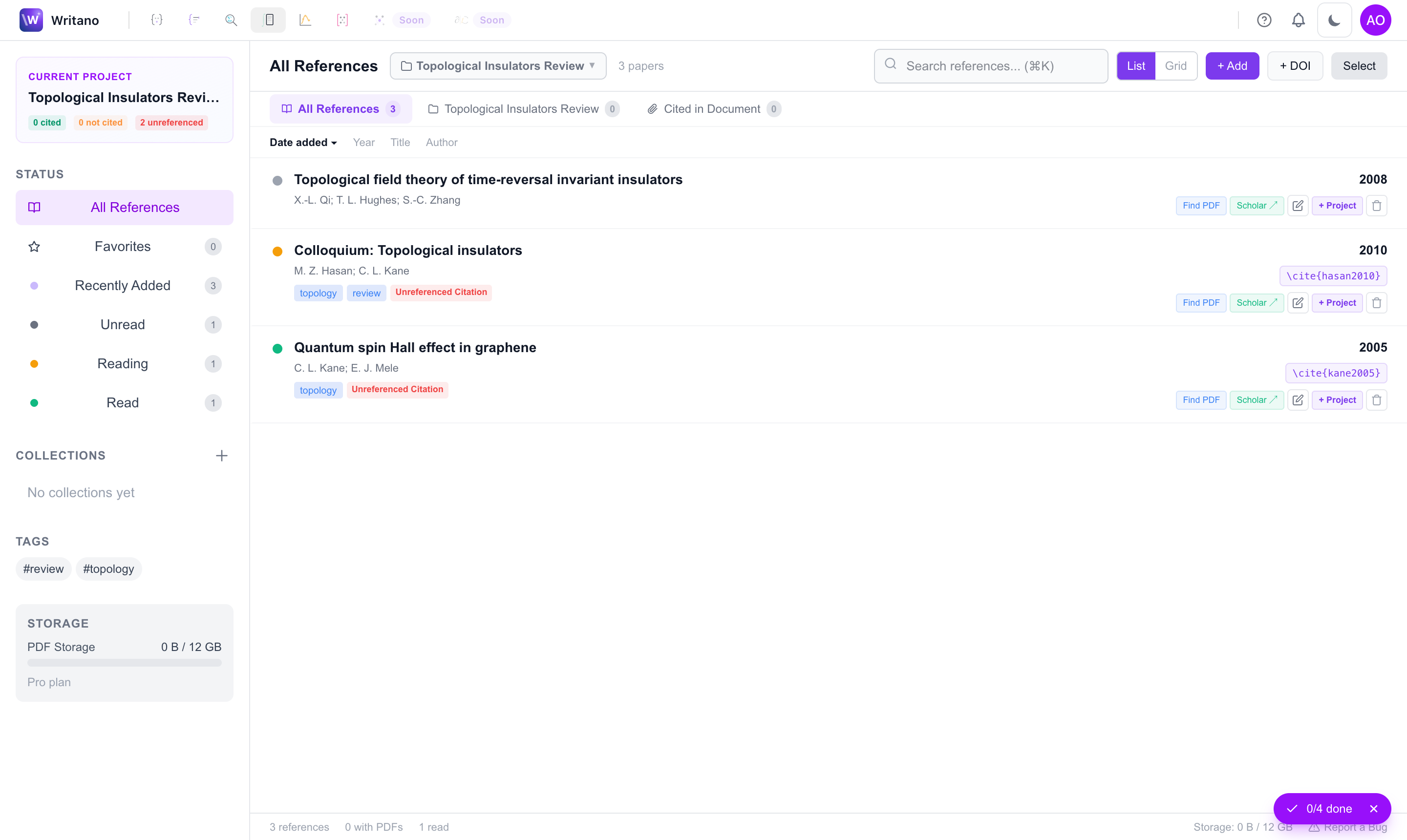
One home for every reference
The Library holds all your references, whatever their origin — saved from a paper search, uploaded as a PDF, imported from a .bib file, or extracted from a paper you imported. Search and tag them once; they are available to cite in any project.
PDFs, notes & highlights
Open a reference to read its PDF in place. Highlights you make are saved back to the reference, and each paper carries a Notes field for the reminder-to-self that never fits in a citation. When Writano can find a DOI on upload, it fills in the metadata for you.
Two-way sync: the Library and your project's
.bib file stay in step — add a reference in one and it appears in the other, so a citation never goes missing at compile time.Citing across projects
Cite drops the reference into the document you're editing with the right key, and adds it to that project's bibliography if it isn't there yet. Because the Library spans projects, a source you read for one paper is one click away in the next.